


 | Mill SolutionsGive your shop the best possible foundation for fast and efficient milling. From general purpose methods such as optimized pocketing to highly specialized toolpaths like 5-axis turbine cutting, with Mastercam Mill, your parts are produced faster, with greater accuracy, quality, and repeatability. Many of the products we use every day are made with the help of Mastercam Mill. This software delivers a full array of machining strategies and so much more. Mastercam milling solutions can be customized to what your shop needs today and easily scaled to meet your future manufacturing needs.
|
More people use Mastercam than any other CAM software. From CAD inception to the creation of a final machined part, Mastercam is designed as a comprehensive solution for manufacturing efficiency.
- Full 3D CAD modeling
- Context-sensitive help available from all dialog boxes
- Powerful Multiaxis cutting
- Easy pocketing, contouring, and drilling
- Intelligent, stock-aware toolpaths
- Robust 3D solids and surface machining
- Complete tool library and custom tool support
Features
 | 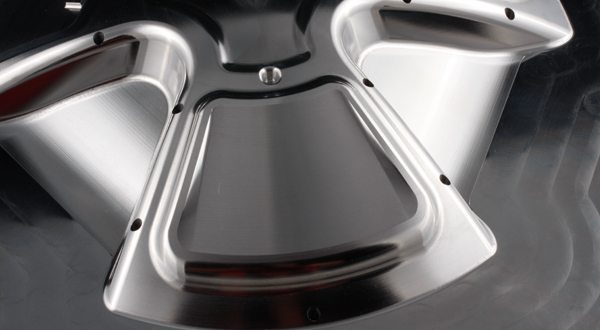 | 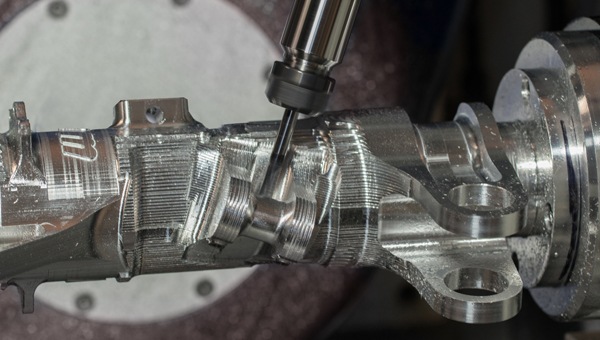 | ||
Dynamic Motion™Extend tool life with proprietary toolpath strategies that maximize material removal rate and reduce cycle times. | Accelerated Finishing™Take advantage of innovative profile tools and processes aimed at greater efficiency and higher machining productivity. | Advanced ToolpathsReduce costs and cut programming time with advanced toolpaths like Deburr and Equal Scallop. |
Powerful CADOpen any CAD file in Mastercam to access modeling and prep tools for CAM programmers to get parts on and off machines quickly.
| Localized SupportOur Mastercam Resellers bring years of practical experience specific to various regions, manufacturing goals, and language requirements worldwide, to ensure that as a Mastercam user, you always have the support you need to get the most out of your CAD/CAM investment. | Free SoftwareGive the world’s #1 CAM software a test drive. Download Mastercam Demo/Home Learning Edition at no cost. Use it to learn Mastercam and get familiar with the latest advances in CAD/CAM – every step of the way up to actually machining a part!
| Machine SimulationDetect collisions between your stock, tool, and machine components before sending code to your machine tool. Machine Simulation is a safe way to prove out 3-axis, 4-axis, or 5-axis Mill (or Router) toolpaths to make clean, efficient, and accurate programs.
|
System Requirements
See the table below for minimum and recommended system configurations for Mastercam. These recommendations are based on systems we have in use at CNC Software for testing and evaluation purposes. Our recommendation is to get as much power (processor, video card, and memory) for your systems as you can afford.
| MINIMUM | RECOMMENDED | |
| OS | Windows 7, 8.1 or 10 64-bit Professional Windows 10 | Windows 10 64-bit Professional |
| Processor | Intel® or AMD 64-bit processor, 2.4 GHz or faster | Intel i7 or Xeon® E3, 3.2GHz or faster |
| Memory | 8 GB | 32 GB |
| Video | OpenGL 3.2 and OpenCL 1.2 support with 1 GB memory. No onboard graphics. | NVIDIA Quadro® or AMD FirePro™ / Radeon Pro card with 4 GB (or higher) dedicated memory. |
| Video | 1920 * 1080 resolution | 1920 * 1080 resolution, dual monitors |
| Video | Hard drive with at least 20 GB free USB and/or DVD drive (depending on installation media and licensing method) | Solid State Drive (SSD) with at least 20GB free |
| 3D Mouse | 3Dconnexion 3D mouse |
Add-Ons
 5-Axis Curve Machining & Drilling |  Port Expert
|  Productivity+
|  Blade Expert
|  ProDrill
|  Multiaxis
|  Art
|
Mastercam Community
When you choose the world’s most widely used CAM, you gain benefits beyond the technology driving our software. Our global community of Mastercam users, experts, educators, and enthusiasts helps you get the most from your investment.
- Online and local training
- Network of innovation
- Educational resources
- Maintenance and regional support
- What’s New documentation for Mastercam and Mastercam for SOLIDWORKS®
